4.2. Real-world downscaled FastEddy simulation with buildings
This tutorial involves setting up a real-world downscaled simulation that includes resolved buildings and closely follows the same procedure outlined in section 4.1. Additional steps for including buildings are described below and all required input datasets to run this tutorial are provided in this Zenodo record.
In the GeoSpec preprocessing step, and additional 2d field describing building heights above ground level is required in the georeference input NetCDF file.
float BuildingHeights(y, x) ;
This tutorial provides an example georeference input file with building heights for downtown Dallas, TX (Dallas_input_Oct2025_lod13.nc). The geospec.json parameter file option urban_opt : 1 needs to be selected for building height information to be ingested in the reference standard-format NetCDF output file upon execution of GeoSpec.py.
The same urban_opt : 1 option needs must be included in the subsequent SimGrid and GenICBCs stages, where building information is used for the creation of a BuildingMask array containing gridded information of building presence, and ensuring that winds, subgrid-scale TKE and hydrometeors are set to zero within buildings for both initial and boundary conditions. In this example center_lat and center_lon are (32.7835, -96.8092), required by simgrid.json.
After initial and boundary conditions have been created, a building-resolving FastEddy simulation can be undertaken by activating the urban model capability in the parameters file (see tutorials/examples/Example10_REALCASE_Dallas_urban.in).
#--URBAN
urbanSelector = 1 # urban selector: 0=off, 1=on
The urban model capability has been implemented into FastEddy as an extension module, and is not compiled by default. To include the URBAN module in a build of FastEddy use the following compile flag:
make WITH_URBAN=1
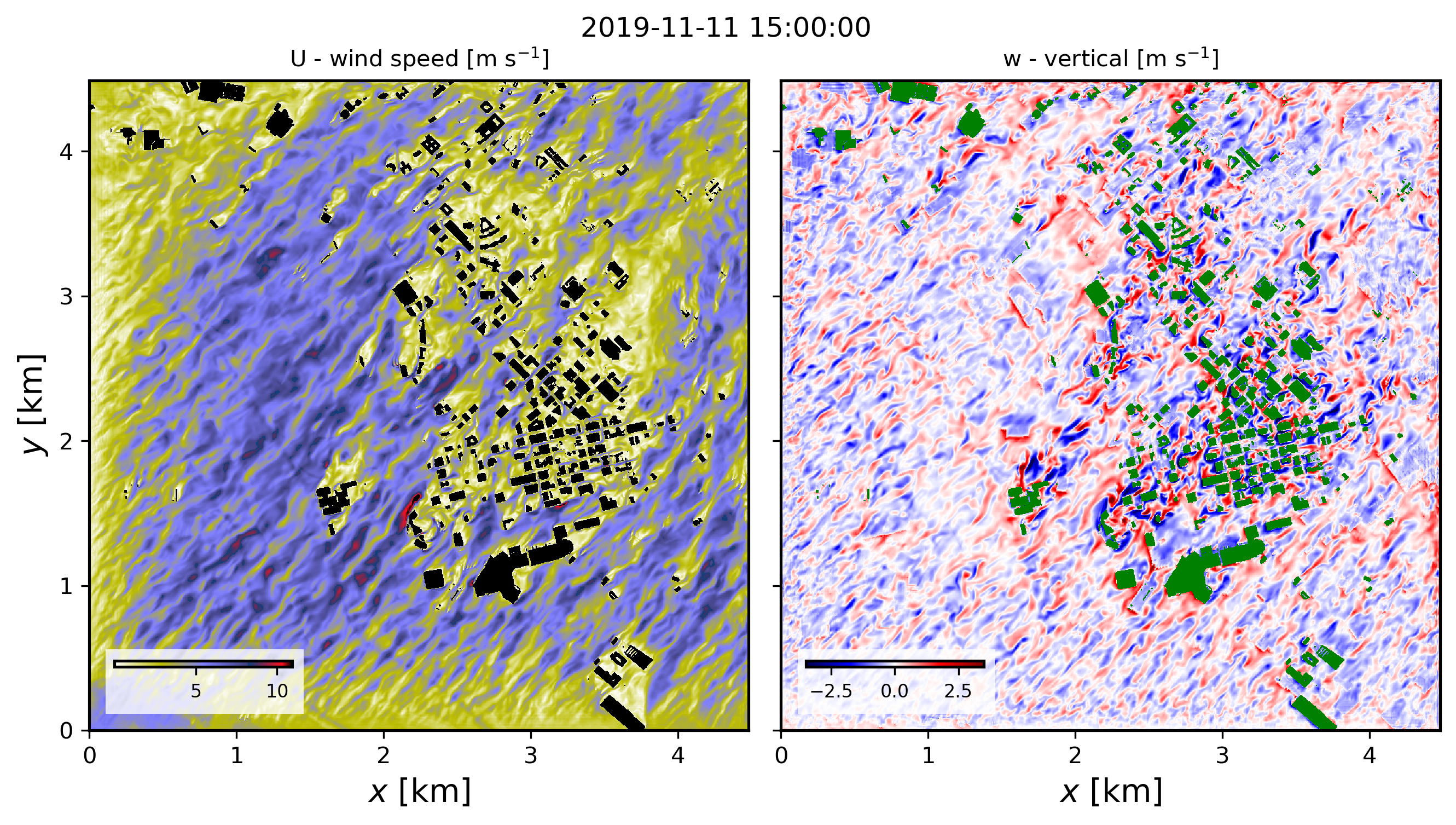
The model used to represent buildings follows the immersed body force approach described in Muñoz-Esparza et al., 2020, and the tutorial case corresponds to the passage of a cold front (Muñoz-Esparza et al. (2021, 2025). The figure below shows instantaneous wind speed and vertical velocity fields corresponding to 30min hindcast valid at 1500 UTC on November 11th 2019 (pre-frontal conditions). These horizontal contours are from the model’s third vertical level, located at approximately 23 m above ground level.
Full citation references can be found in the Publications section.
4.2.1. Surface Heat Flux Redistribution
The Surface Heat Flux Redistribution (SHFR) option is included in the FastEddy URBAN module and therefore requires the urban capability enabled (urban_opt : 1). When buildings are explicitly represented in FastEddy, surface sensible and latent heat fluxes are masked to zero over building-covered grid cells. This masking can reduce the total heat input in densely built areas.
The SHFR option compensates for this effect by redistributing the suppressed surface heat flux over the surrounding non-building grid cells. The redistribution is computed during the preprocessing stage with SimGrid.py and stored as a 2d field named UrbanHeatRedis. During the FastEddy simulation, this factor is applied multiplicatively to the surface heat fluxes.
When buildings are explicitly resolved, using conventional urban roughness lengths derived for unresolved urban canopies may lead to a double counting of building-induced drag. To avoid this issue, SHFR is designed to operate together with a modified “street-like” roughness length for urban land-cover categories. This reduced roughness represents the aerodynamic properties of streets and open urban surfaces. The modified roughness values must therefore be used during the execution of GeoSpec.py (see section 3.1.1).
The SHFR algorithm accounts for the difference between fluxes computed with the original land-cover roughness and those computed with the modified street-like roughness. For this reason, SHFR requires a land-cover table with both values: z0 and z0urbanLES. z0urbanLES must be set to 0.0 for non-urban categories.
To create the UrbanHeatRedis field, add the following entries to the simgrid.json file:
"urban_heatRedis_opt": 1,
"landcover_table": "/path_to_landcover_table/landcover_table.csv"
Note that landcover_table entry is the same as the landcover table specified in geospec.json. If urban_heatRedis_opt : 0, no redistribution is applied and the landcover_table entry can be left empty.
To run a building-resolving FastEddy simulation with SHFR, the capability must also be activated in the FastEddy parameters file:
#-- URBAN
urban_heatRedis = 1 # selector to activate surface heat redistribution